LiftCamp is now on iPhone
Lifting, minus the guesswork.
LiftCamp tells you exactly what to do in the gym, makes logging a set a single tap, and turns showing up every week into a streak worth protecting. Built for your first six months, with plenty of room to grow.

Free on iPhone. Coming to Android.
900+
exercises, explained
31
routines
1 tap
to log a set
Routines
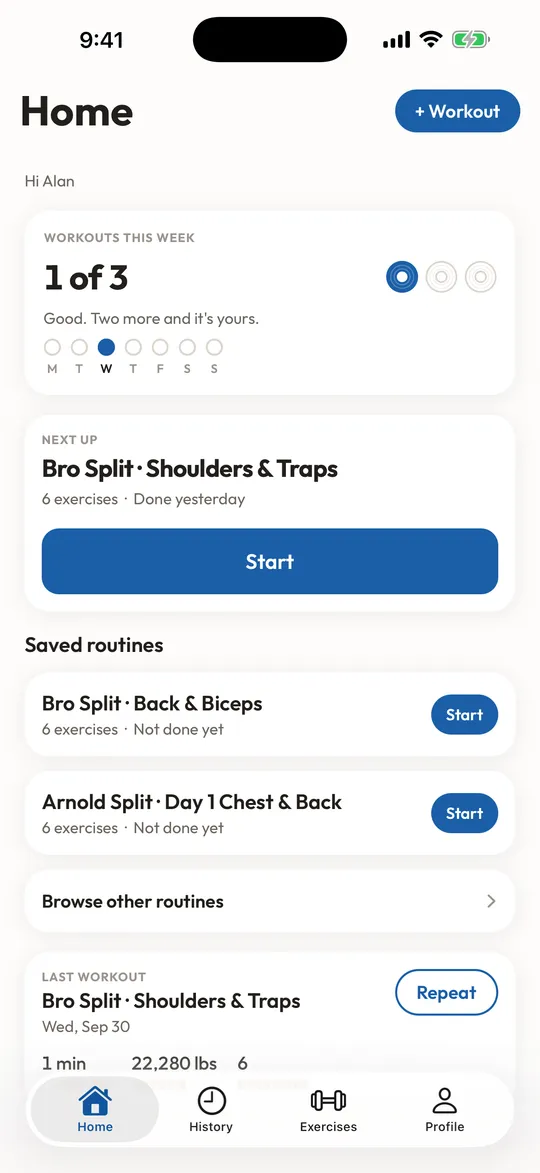
A starter routine that actually fits your week.
Whether you’ve got a full gym, a pair of dumbbells or just the floor, LiftCamp picks a proven plan and tells you what to do on every day of it.
Build my routine
Recommended for you
Full Body
3 days · 2 workouts alternated · 3 × 8 to 12
Start here
Popular routines and guides
Routines
See all routines
Guides
See all guidesHow to pick your starting weight
The short version, then the details, for every kind of equipment in the gym.
Gym etiquette for beginners: what actually matters
Most of what you are worried about, nobody notices. There are about six things people genuinely care about, and they take a minute to learn.
How to set up the leg press: seat, feet and depth
Set the seat so your knees reach about 90 degrees without your lower back lifting, put your feet mid platform at shoulder width, and stop before your hips curl under.
Last time
105 lbs × 8
LiftCamp remembers, so you never have to.
How it works
Three steps. Zero spreadsheets.
Pick a routine
Tell us your training days, experience and equipment. You get a plan with exercises, sets and rep targets already filled in.
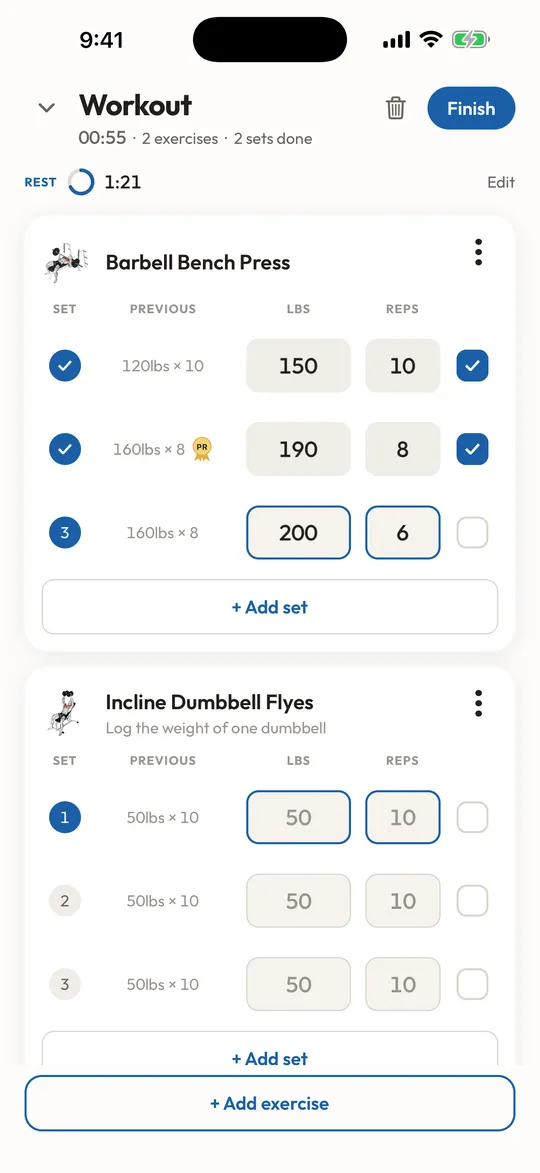
Tap to log each set
Last session’s numbers sit right next to today’s. Tick the set, the rest timer starts on its own.
Keep the week
Set a weekly target from 2 to 6 days. Hit it, and your streak grows. That’s the whole trick to getting strong.
Streaks
Showing up is the program.
Pick a weekly target between 2 and 6 days. Hit it and the streak grows. String four weeks together and LiftCamp banks your progress, so one rough week doesn’t undo a good month.
6 weeks
Target: 3 days / week
Streak banked after week four. Keep going.
Exercise library
Never fake your way through a machine again.
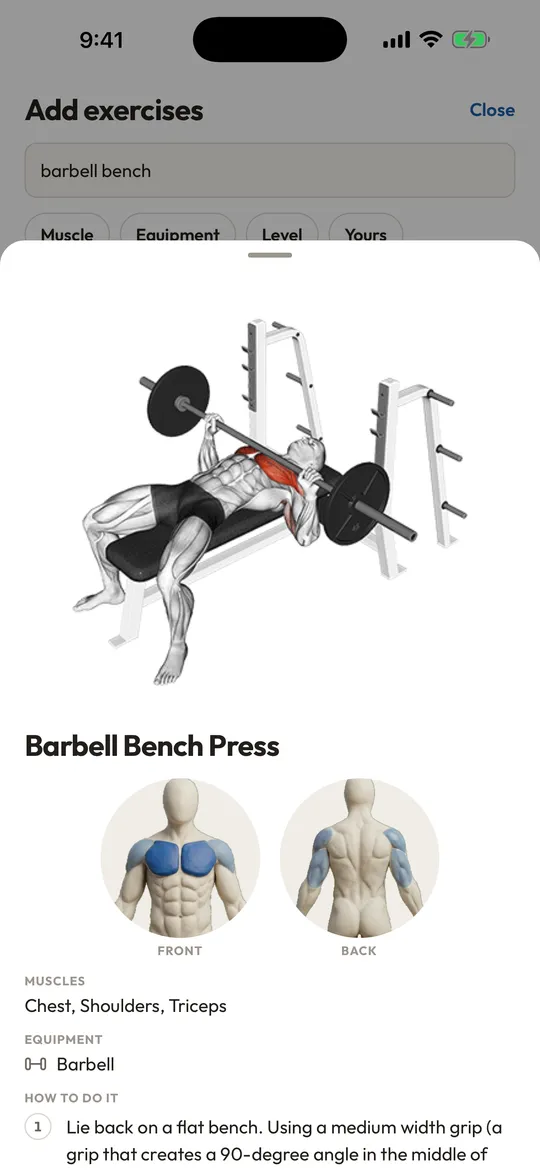
900+ exercises with step-by-step instructions and front-and-back muscle diagrams. Hundreds include short demo animations, so you know what good form looks like before you load the bar.
dumbbell shoulder press
DumbbellsChest · Barbell
Barbell Bench Press
How to do it
- 1Lie back on a flat bench and grip the bar a little wider than shoulder width.
- 2Lower the bar slowly to the middle of your chest, elbows tucked slightly.
- 3Press back up until your arms are straight. Keep your feet planted the whole time.
Beginner note
Start with just the bar. Adding weight next week is the fun part.
Progress
Watch the line go up.
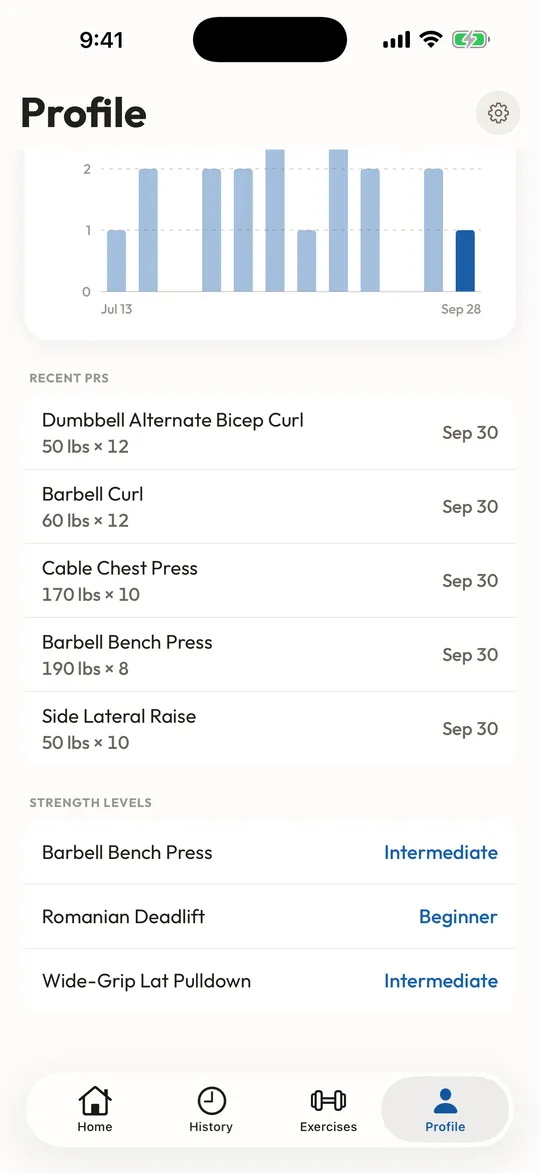
Every exercise gets its own history and charts for estimated max, heaviest weight, reps and volume. PRs get marked the moment you hit them, and bodyweight strength levels show how your big four stack up.
Back Squat · Estimated max
185 lbs
Strength levels
Based on your bodyweight
The small stuff, sorted.
Last session, right there
Previous weights and reps show beside every set.
Rest timer presets
Save the rest you like and it starts when you finish a set.
Basement-gym proof
Workouts save offline and sync when you’re back online.
Pounds or kilograms
Log in whichever units your gym uses.
Freestyle when you want
Start an empty workout or pick up your routine where you left it.
Every session, kept
A complete workout history you can scroll back through.
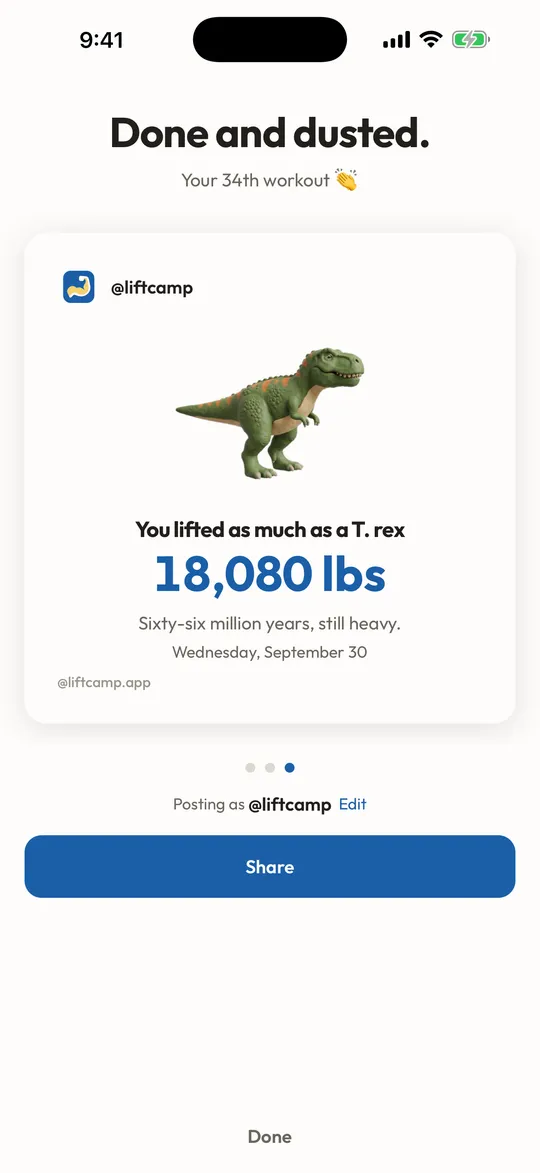
Brag-ready summaries
Finish a workout and share the totals in one tap.
Try before you sign up
Do a workout first, then save it with Apple, Google or email.
Reviews
5.0 on the App Store
3 ratings. Read the reviews on the App Store
FAQ
Good questions.
Requires iOS 16.4 or later. Supports Larger Text, Dark Interface and Reduced Motion.
Is LiftCamp really free?
Yes. The app, the routines, the exercise library and the progress charts are free. No ads, no trial, no card required.
I’ve never lifted before. Is this for me?
That’s exactly who it’s built for. Pick “brand new” and LiftCamp starts you on a simple routine with clear instructions for every exercise. When you outgrow it, PHUL, Push/Pull/Legs and more are waiting.
Do I need an account?
Not to get started. Try a workout first, then create a free account with Apple, Google or email when you want to save it.
Does it work without signal?
Yes. Workouts are stored on your phone while you train and sync once you’re connected again.
I’m on Android. Can I still use LiftCamp?
Not yet. LiftCamp is on Android soon. Leave your email above and we will tell you the day it lands.
What about my privacy?
Your workouts are private unless you share a summary or approve someone to follow you. LiftCamp does not sell data or run ads.

Your first workout is one tap away.
Download LiftCamp free on iPhone. No experience needed. Just show up.

Free on iPhone. Coming to Android.